HOW REMIND WORKS
Not a notification. A briefing.
Meeting reminder apps are alarm clocks. They flash a banner and hope you notice. Remind is a briefing system: it researches the people you're about to meet and takes over your screen at meeting time with everything you need to walk in ready.
01 · THE BRIEFING
Know who you're meeting before you meet them.
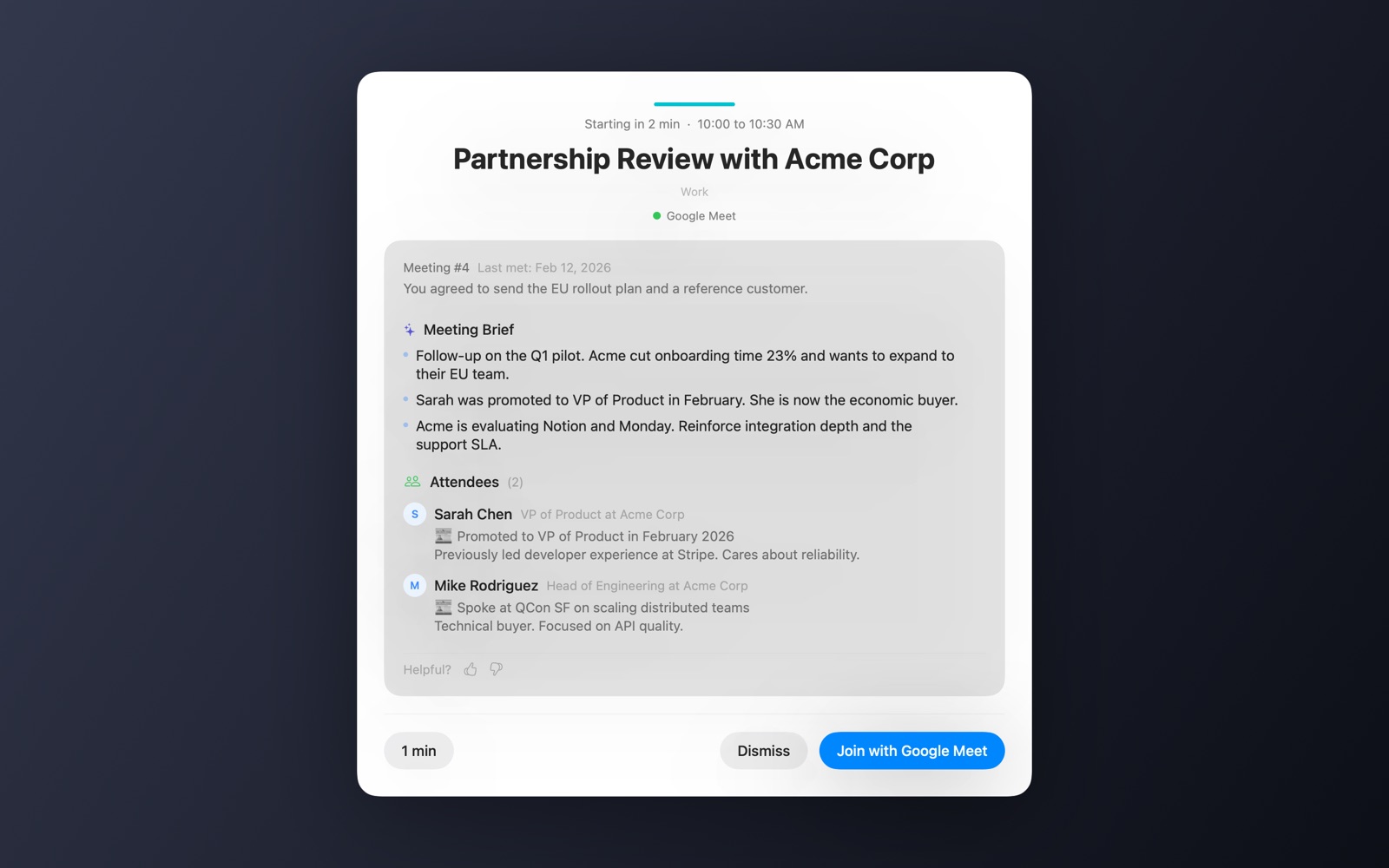
One hour before each meeting, Remind researches it with your own AI. By the time the reminder fires, the card already knows the room. Every piece below is a real region of the card above.
It researches every attendee.
Live web search on each external attendee: name, role, company, recent news. Sarah got promoted in February? It's on the card, with what she cares about.
It writes your talking points.
A 3–4 bullet brief built from the research plus your own context: recent email threads with the attendees, your Slack messages, and relevant Notion pages, folded together into what actually matters for this call.
It remembers your last meeting.
Recurring meetings carry their history: which meeting number this is, when you last met, and what you agreed to do. The follow-up you promised is the first thing you see.
02 · YOUR AI
Free to start. Your key when you want more.
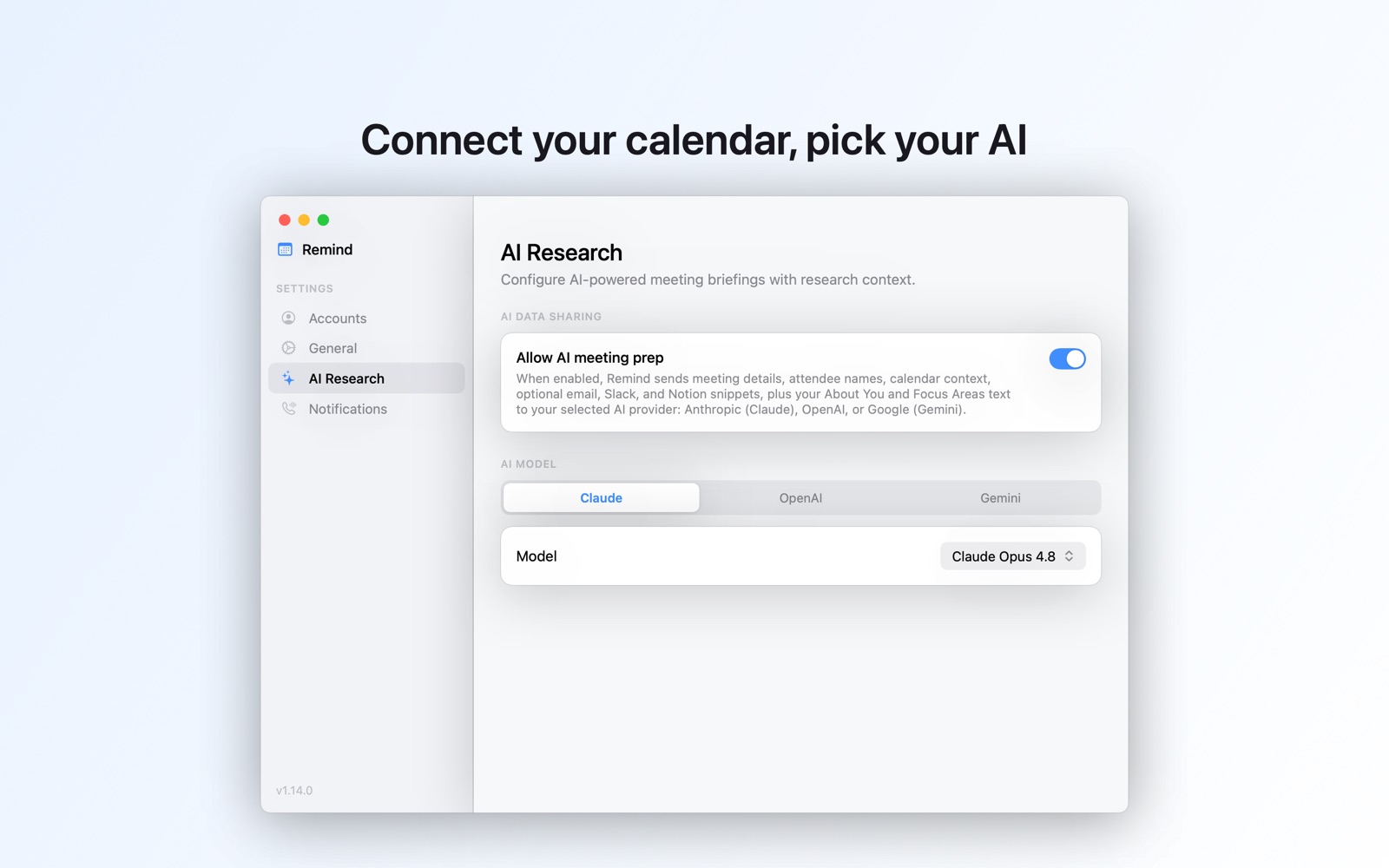
Two briefings a day are included, with no setup and no API key. For a much higher daily limit and your choice of model, add your own key for Claude, OpenAI, Gemini, or Grok. Then your meeting data goes straight from your Mac to the provider you picked, and the AI costs you nothing extra from Remind.
- Full disclosure, one toggle. The AI Research setting states exactly what gets sent before you turn it on. Nothing is shared until you do.
- Keys live in the Keychain. Stored by macOS, never on Remind's servers.
- Guardrails in code. Remind never researches your own company, and internal meetings use a stripped prompt with no company research at all.
- Included, spelled out. Without a key, briefings are generated on Remind's own Anthropic Claude account and relayed through Remind's servers in memory, never stored. Add your own key and that path ends immediately.
Every major provider, by name:
- Claude meeting prep. Use your Anthropic API key, pick your Claude model, and briefs are researched with live web search.
- OpenAI meeting prep. Bring your OpenAI API key and choose the GPT model that writes your attendee research and briefings.
- Gemini meeting prep. Connect a Google AI key and Remind builds your briefs with the Gemini model you select.
- Grok meeting prep. Plug in an xAI key and Grok researches your meetings with live search.
03 · THE REMINDER
A reminder you physically cannot miss.
The takeover appears on all connected screens and pulls you out of full-screen apps. Covering your work is the point.
Fire it at start, our recommendation, so you work without watching the clock. 5- and 2-minute warnings exist, alone or stacked.
Zoom, Teams, Google Meet, and Webex links are parsed from the invite and the join button carries the platform's branding.
One click to join, snooze one minute to land a thought, or dismiss and move on.
An optional full dark takeover for the meetings you absolutely cannot miss.
Per-calendar controls, sound alerts, a 1% battery warning, and optional SMS reminders to your phone with explicit opt-in.
04 · THE MENU BAR
Connected in seconds, always a click away.
Remind is a native Swift menu bar app, and it can start at login if you choose. Connect your Google or Microsoft calendar through Nylas, a SOC 2-certified connectivity platform, in a normal sign-in flow with no scary permission warnings. Google sign-in is calendar-only by design; Remind never asks for your Gmail.
- Multiple accounts. Connect personal and work calendars and Remind merges every event into one timeline.
- Fresh every 2 minutes. Remind polls for changes, so the meeting added at 9:58 still takes your screen at 10:00.
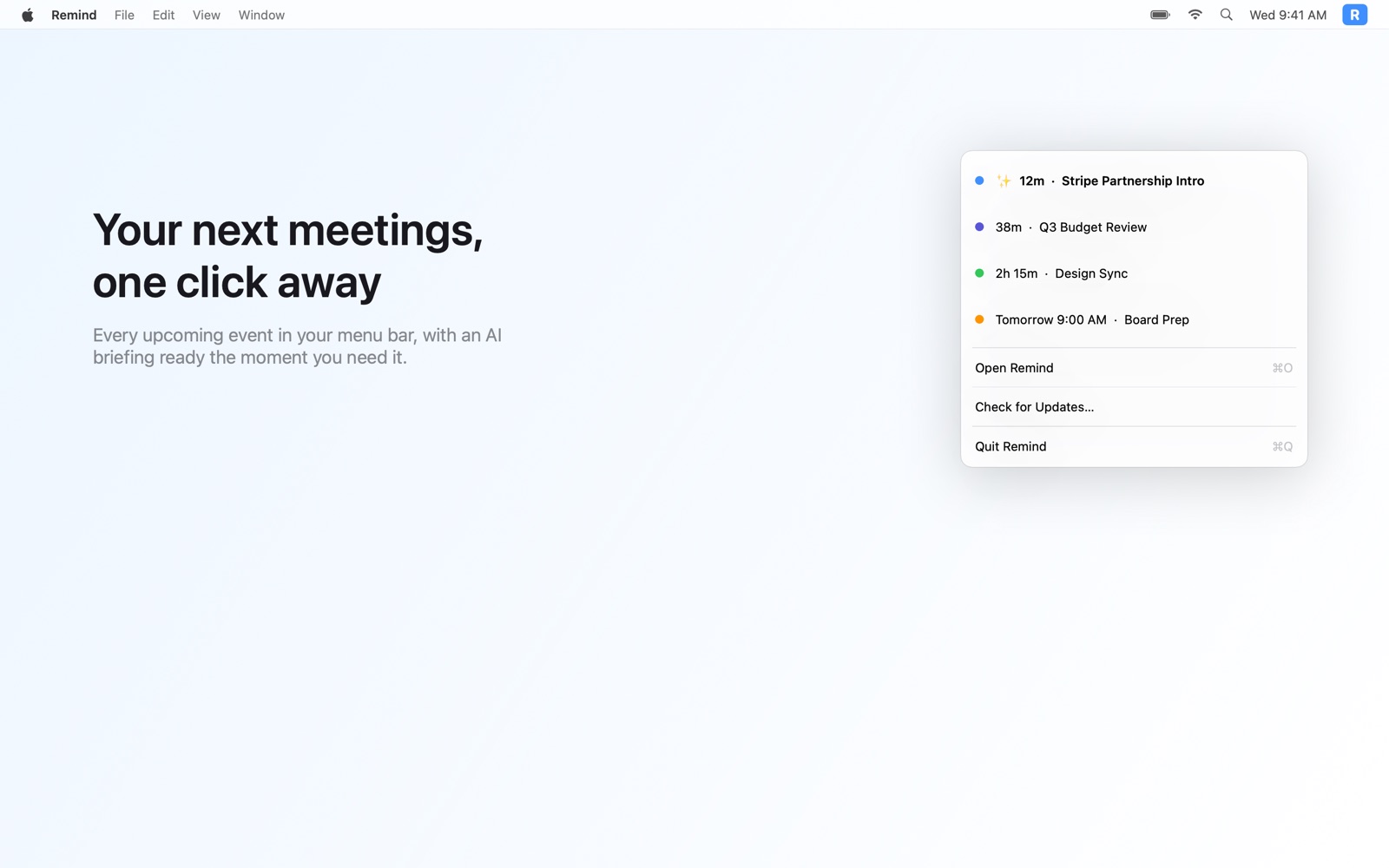
- Briefs at a glance. The popover lists your next meetings with live countdowns; a sparkle marks the ones with a brief already waiting.
05 · YOUR DATA
Where your data goes, exactly.
Briefs are generated with your key. Email and Slack context is fetched, passed in-memory to your AI provider, and discarded. Raw email content is never written to disk and never sent to Remind's servers. Only the finished brief is cached, locally, for 30 days.
Calendars connect through Nylas with the provider's own sign-in; Slack and Notion connect with tokens you grant and can revoke. Your passwords are never stored in the app, and your API keys never leave the Mac's Keychain.
 7-day free trial · $19.99/year · cancel anytime